Theming
The accent colour
The selection, the drop targets, the marquee and the active sidebar row are all built from one accent, declared once in the package stylesheet. It defaults to the macOS system blue, because the layout is the Finder’s and so is the selection.
Override it in your own theme — nothing else needs touching:
:root {
  --fe-accent: 175, 82, 222;      /* the rgb triple: most uses are translucent tints */
  --fe-accent-solid: #af52de;     /* the icon view's label pill */
  --fe-accent-text: #7d2fa8;      /* readable as text on a light tint */
  --fe-accent-on-solid: #fff;
}
.dark {
  --fe-accent: 191, 90, 242;
  --fe-accent-solid: #bf5af2;
  --fe-accent-text: #dcb0ff;
  --fe-accent-on-solid: #fff;
}
--fe-accent is an rgb triple rather than a colour because most uses are rgba(var(--fe-accent), α) tints: a selection sits over a thumbnail and has to let it through. The other three are real colours.
It is deliberately not Filament’s --primary-*. Those belong to the panel; this is a file browser’s selection colour, and the two are not the same decision. The quota bar does follow the panel’s primary, because a quota is the application’s business rather than the finder’s.
Grey is not a second selection colour — it means the trail through the tree in the column view, which is the distinction the Finder makes.
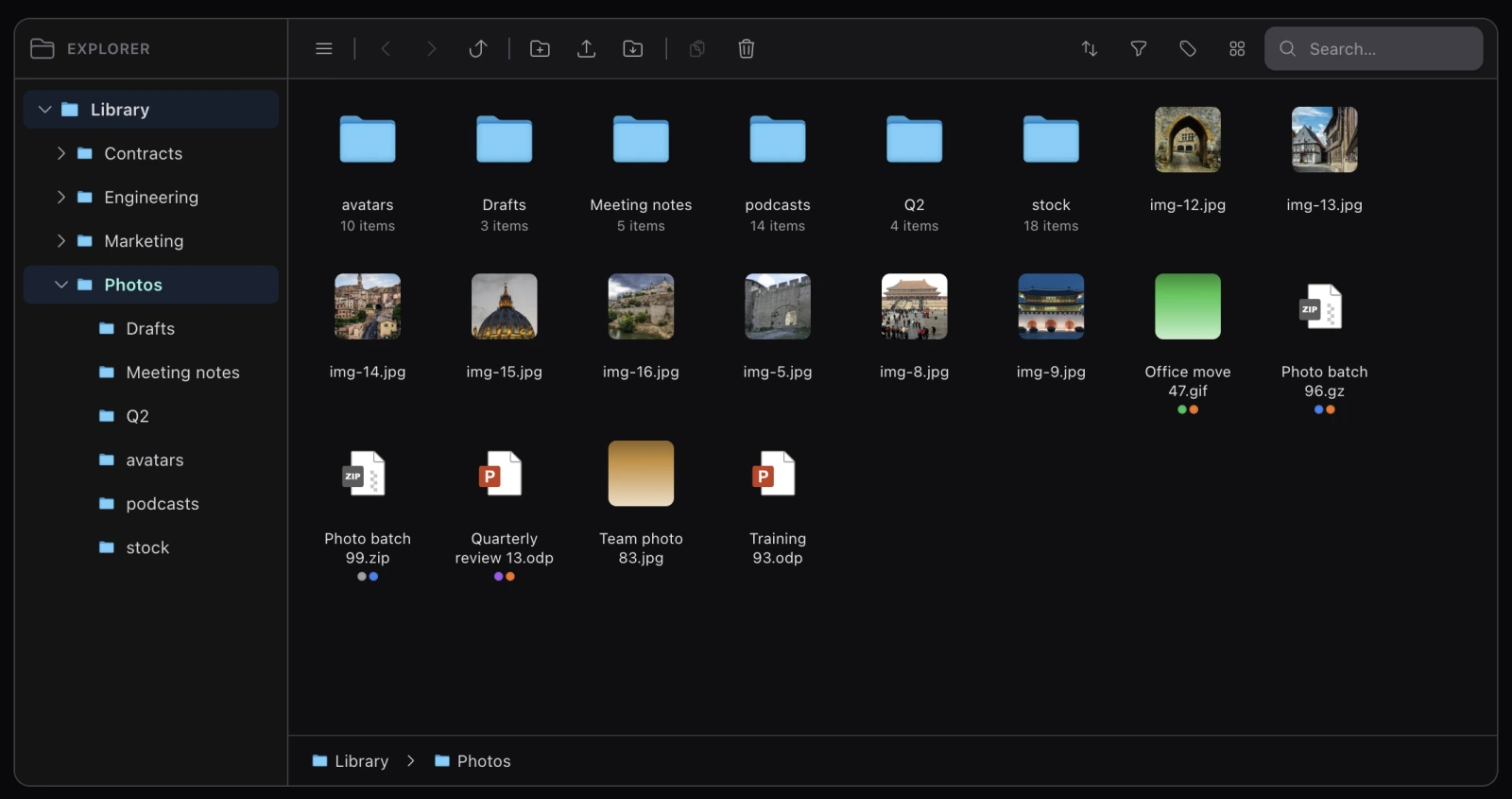
How tall the finder gets
The explorer scrolls its contents inside itself, and the ceiling is one custom property:
:root {
  --fe-max-h: 70vh;    /* the whole finder stops growing here */
}
A page with a deep header wants less; a full-screen one wants more. There is a 560px floor underneath, so an empty explorer keeps its presence — and on a viewport too short for both, the floor wins and the page scrolls, which is the graceful way round.
The picker’s modal sets 60vh for itself, since a modal already spends height on a heading and scrolls on its own.
What scrolls, each on its own: the items area, the sidebar tree, the inspector body, the trash list, and each column pane. The three headers across the top share one height, --fe-header-h.
Assets
There is no build step. php artisan filament:assets publishes the package’s JavaScript and CSS straight from their sources — there is no dist directory, and re-adding one would only reintroduce the silent drift it used to cause, where nothing fails when a copy is forgotten and the change simply never reaches host applications.
php artisan filament:assets
Re-run it after upgrading, as you would for any Filament plugin.
And keep the @source line from installation in your theme, so Tailwind still sees the classes the views use:
@source '../../../../vendor/koassi/filament-file-explorer/resources/views/**/*.blade.php';
Overriding a view
The views are publishable like any package’s:
php artisan vendor:publish --tag=filament-file-explorer-views
Three rules if you do, and they are not stylistic:
- Keep
data-fe-items,data-fe-typeanddata-id. They are the DOM contract the selection layer, the keyboard and the marquee all read. A view that drops them renders fine and cannot be selected in. - No global
idattributes. A page can hold two explorers — the picker in a modal beside the page — so anidin a view is one that the other explorer’s controls will find first. Inputs are reached through refs, containers through the component’s own root. - Tailwind classes must be literal, never built from a variable, or your theme’s scanner will not see them.
Overriding a view opts you out of its future changes, which for this package is a real cost — the layout has needed fixes that are invisible until a folder holds enough items to scroll. Prefer the custom properties above where they cover what you need.
Right-to-left
The finder is rendered dir="ltr" on purpose: the layout, the drag geometry and the marquee all assume it. So rtl: variants can never match, and adding one is dead code until the whole layout is made direction-aware.