Large libraries
The explorer renders listing.per_page items at a time — 100 by default — folders first, with a Load more control for the rest.
// config/filament-file-explorer.php
'listing' => ['per_page' => 100],
Sorting, filtering and windowing all happen in SQL. The explorer never loads a folder’s contents into memory to order them, so a folder holding thousands of files costs the same as one holding ten.
Two consequences of doing it that way:
- Folders fill the window first, whatever the sort, and the file budget is what is left over. Widening the window therefore only ever appends — a “Load more” cannot reshuffle what you were already looking at.
- Every sort ends with the primary key. Without that tiebreak, rows sharing a sort value can swap places between windows, and “Load more” then repeats or skips them.
Sorting
Sort by name, date, kind or size, ascending or descending, from the toolbar or by clicking a column header in the details view. The choice is remembered per scope.
Two of them mean nothing for a folder, and fall back to its name while keeping the direction:
- Size. A folder has no size of its own. The only honest one would be the recursive weight of its subtree, which is a query per folder or a column to keep in step with every upload, move and delete.
- Kind. Sorting by kind orders on the stored mime type rather than the extension, because extracting an extension is not portable across database drivers.
Filtering by kind
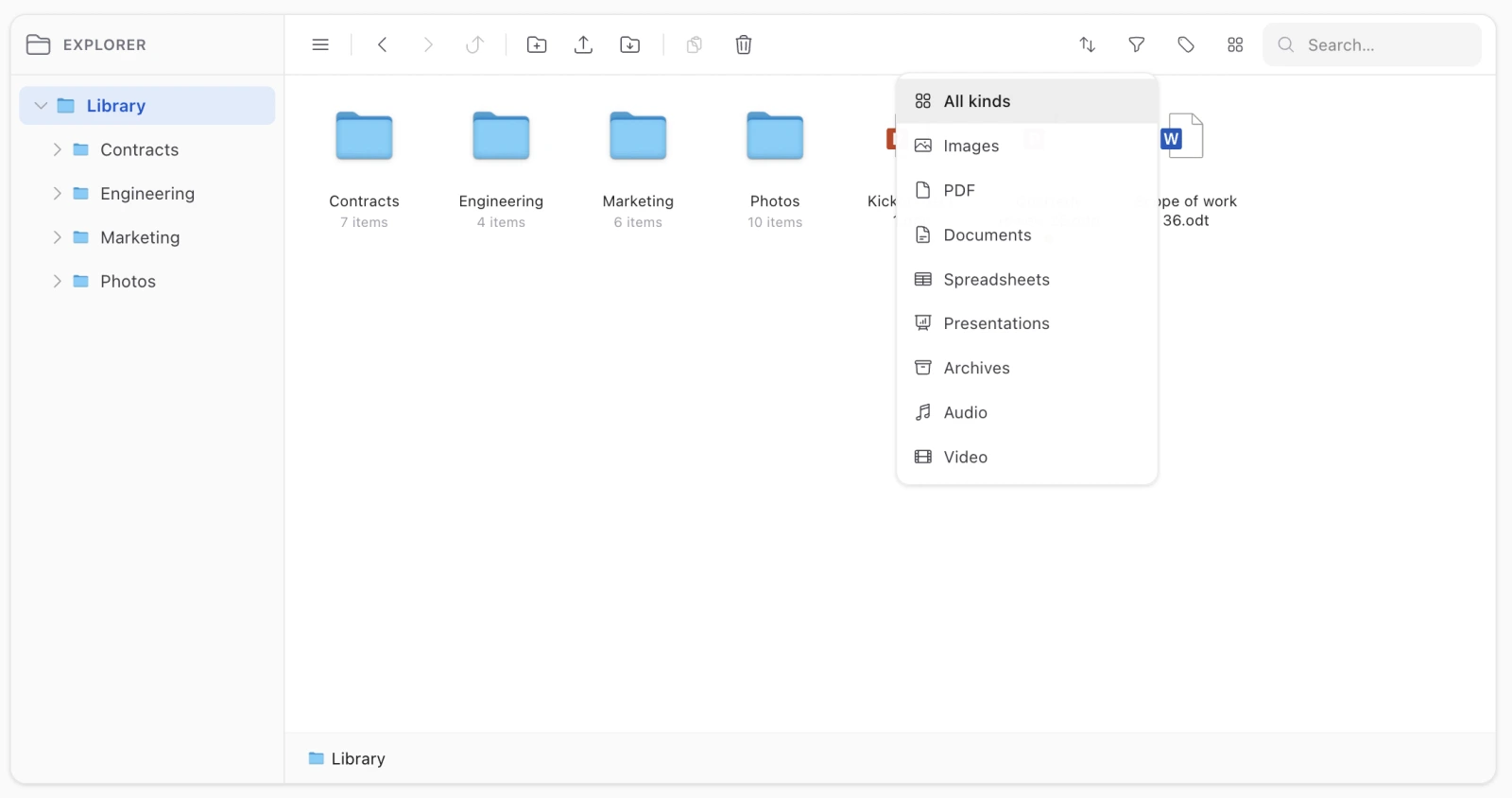
The funnel in the toolbar narrows a folder to one kind: images, PDF, documents, spreadsheets, presentations, archives, audio, video.
The entry toggles, so choosing the active kind again clears it, and a bar above the listing says which filter is on with a way out — a narrowed folder that simply looked empty, with nothing on screen saying why, would be a bug report.
Three decisions inside it:
- Kinds match on the stored mime type, never on the extension. The filter has to run in SQL or the totals and “Load more” would count rows the window then dropped — and the mime type is the half worth trusting, sniffed from the bytes rather than typed by whoever uploaded.
- It is applied before the window and before the counts, which is what makes “5 of 12” describe what the filter left, and keeps a “Load more” inside the filter rather than widening past it.
- Only files are narrowed. A folder has no kind, and hiding folders would filter you into a room with no doors.
The filter is not remembered across mounts, unlike the view and the sort — how you like to look at a library is a preference, what you are looking for right now is not.
The same closed list backs the picker’s ->kinds(), from one SQL predicate, so the menu can never offer a kind the query ignores.
Searching
The search box matches names, descriptions and tag names in one query, across the whole scope rather than the current folder — a file you cannot remember the folder of is exactly the file you are searching for.
Results are drawn as a flat list, since they come from all over the tree. The column view falls back to that list for the same reason.
Searching requires the search ability, separately from browse.
Filtering by tag
Beside the kind filter, and different from it in two ways: it narrows folders as well as files, and it looks through the whole subtree of where you stand rather than at direct children only. Tags and descriptions covers why.
Downloading a lot at once
Selecting several items and downloading produces a single archive, capped at 500 items. A folder downloads as an archive of its subtree. Both go out through the media routes, so both are behind the ability and containment checks.