The inspector
Get Info opens a panel beside the listing describing what is selected: name, kind, size, path, dates, who uploaded it, its description and tags, and — for a file that has one — its version history.
The dates are written the way dates.format says — one pattern for every locale, or one per locale.
Gated on the getInfo ability.
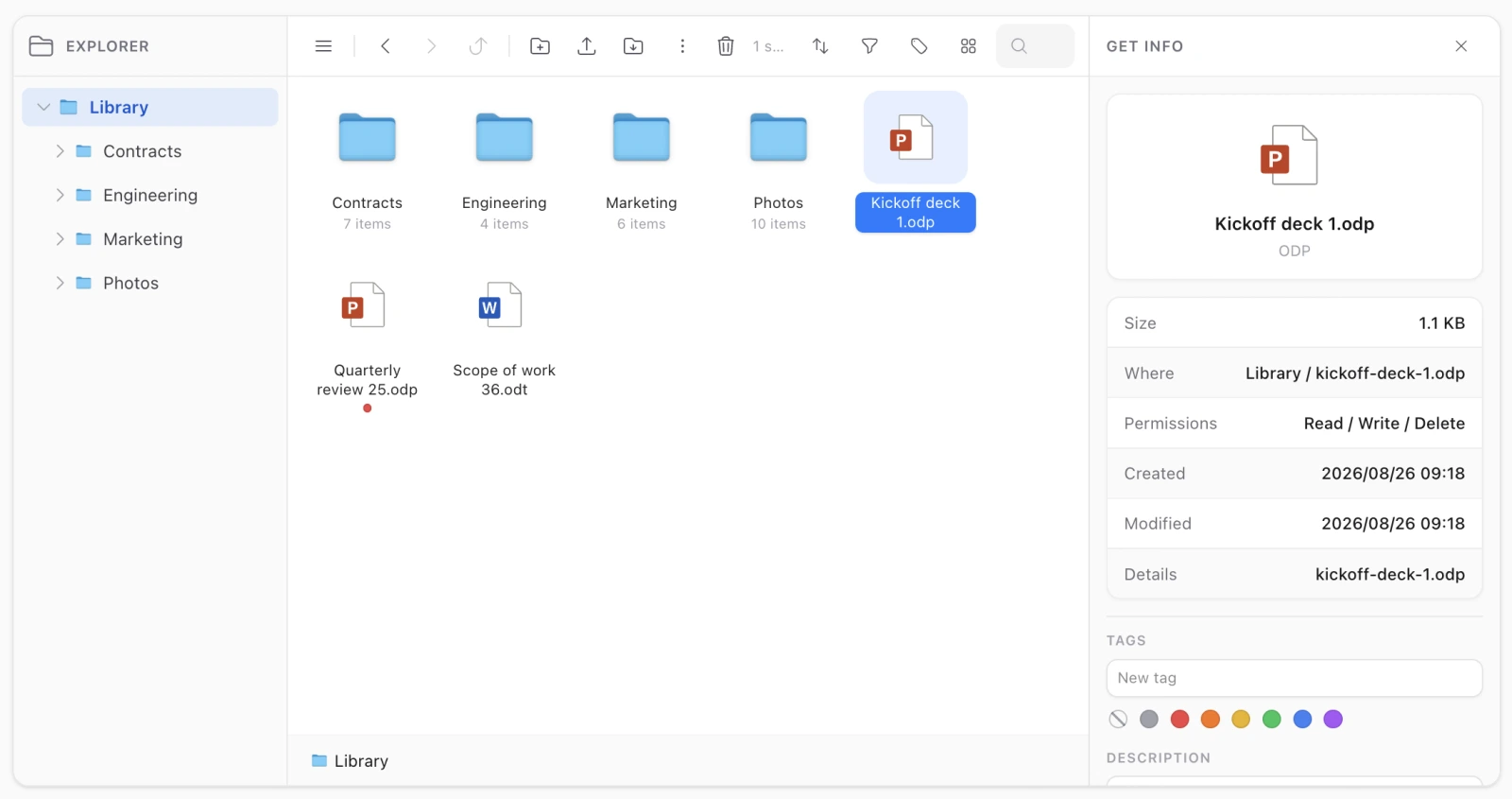
It follows the selection
Select something else and the panel re-reads for it; select nothing and it closes. That is the behaviour every entry point has to honour, and it is worth knowing because it explains two things you will notice:
- A refresh that finds the row gone closes the panel rather than turning an ordinary click into a 404. Same for an ability that has been revoked since the panel opened.
- Get Info on empty space describes the folder you are browsing, and that panel does not follow the selection — nothing about the folder changed when you clicked a file inside it. It closes when you enter the trash, though: the folder is not on screen at all there.
What it shows
| A file | Name, kind, size, path, created and modified, the uploader, description, tags, versions |
| A folder | Name, size of its subtree, path, how many items it holds, dates, permissions, description, tags |
| Several items | How many folders and how many files, and the description and tags fields for the set |
Selecting several items and adding a tag tags all of them, which is the fast way to build a vocabulary over a library that has none.
Who added a file
Recorded on every upload, shown in the inspector and in the flat files table.
It is resolved from the model each time rather than stored as a name, so a renamed account does not leave stale names behind — and memoised per request, so a page costs one query per distinct uploader rather than one per row. When the account is gone the id is still shown, because “someone who no longer has an account uploaded this” is more useful than a blank.
Previewing from it
A file’s thumbnail in the inspector is a preview button — the same lightbox a double-click opens. It is drawn only when a thumbnail was actually generated, or when the file is an image, so a PDF gets its picture where the generator worked and its icon where it did not.
Reading the same figures in code
The inspector computes nothing of its own. The classes behind it are public:
use Koassi\FilamentFileExplorer\Support\Annotations;
use Koassi\FilamentFileExplorer\Support\Quota;
use Koassi\FilamentFileExplorer\Support\Versions;

app(Annotations::class)->description(Annotations::FILE, $media->id);
app(Annotations::class)->tags(Annotations::FILE, $media->id);
app(Versions::class)->history($media->id);
app(Quota::class)->usedBytes($rootFolderId);