File versions
Uploading a file over one that is already there used to destroy what was there — the one place in the package where something was lost without passing through the trash. It is kept instead, and the inspector lists what is behind a file with a restore beside each version.
// config/filament-file-explorer.php
'upload' => [
    'on_conflict' => 'replace',              // versioning only engages on this policy
],

'versions' => [
    'enabled' => true,
    'collection' => 'file-explorer-versions',
    'keep' => 3,                             // the oldest past this is purged for good
    'table' => 'file_explorer_file_versions',
],
The default conflict policy is rename, which keeps both files under different names — so on a default install none of this runs. It is replace that this changes: from destroys the old file to keeps the last three.
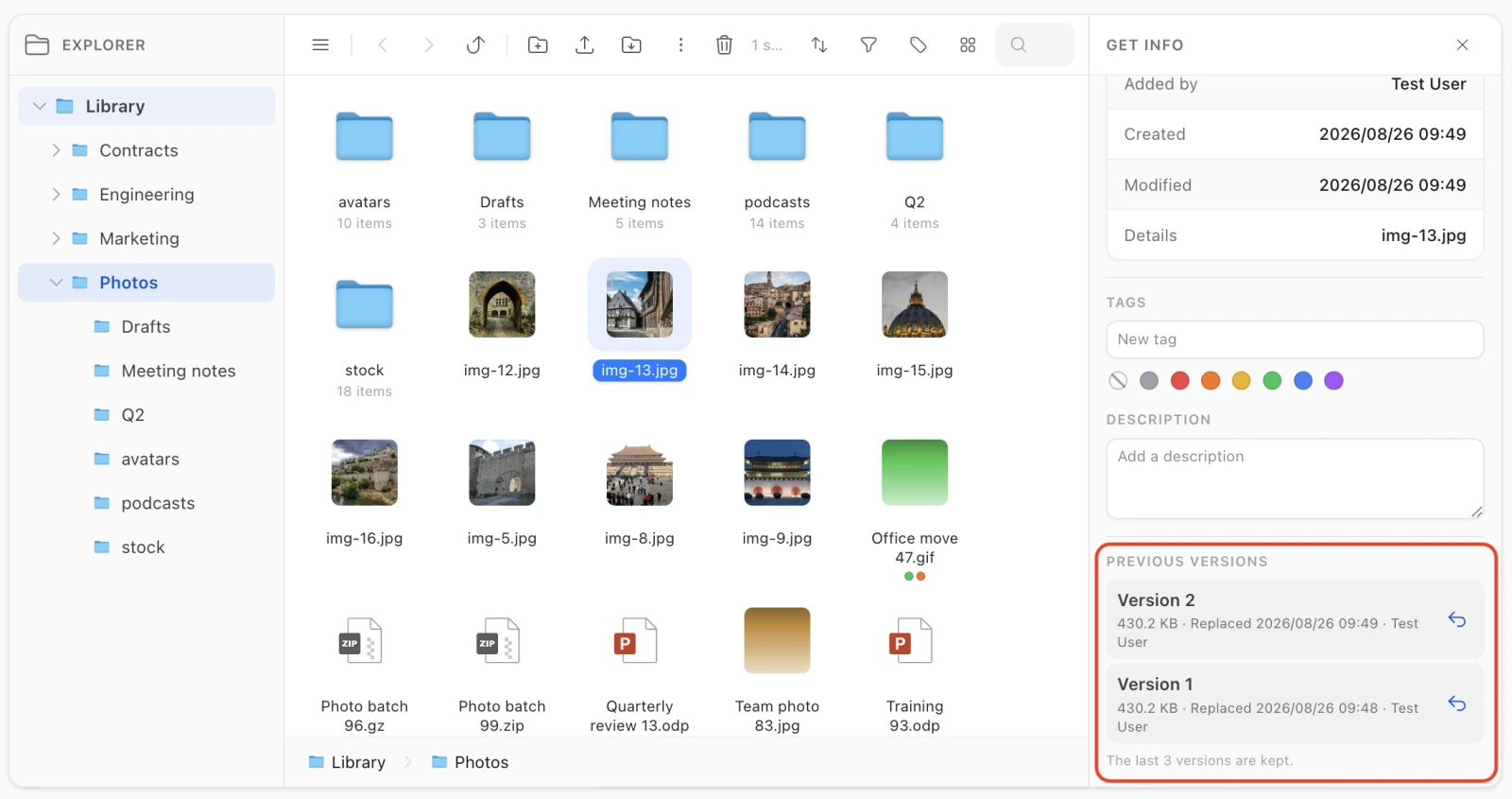
What follows from how it is built
- Versions count against the quota. They sit on the disk until something purges them, exactly like trashed files. Which also means replacing a file no longer frees what it took: the whole incoming size counts, and an upload that does not fit is refused rather than putting the scope over its cap.
- A version is not a second way to download a file. Its media row leaves the explorer’s collection, so every listing, the flat files table and the media routes refuse it — the same mechanism, and the same reason, as a trashed file. Restoring is what brings an old version back.
- The history survives a rename and a move. What ties the rows together is a lineage minted once — not the media id, and not the folder and file name. Which is why rename, move, copy and the trash needed no changes at all to work with this.
- Restoring is reversible. The row that was current becomes the newest entry of the history rather than being destroyed, so restoring the wrong version costs one more click and nothing else.
- The restored file keeps the name it goes by. Restoring last week’s content does not rename the file back to what it was called then; a lineage is one file and its name is the live one. The version rows keep their own names, so the history still says what each was called.
- The description and the tags follow the file. Replacing writes a new media row, and before this both were dropped on the floor — a pre-existing bug that keeping the old row would have made worse by stranding them on a row nothing on any screen can reach.
- The whole history dies with the file. Deleting it for good takes its versions with it; trashing it does not — a file has to come back with its history.
A replacement that fails leaves the file alone
The old row is set aside after the new one is written. The delete it replaced did the opposite, which meant an upload that threw left the folder with neither file. This way a failed replacement leaves what was there exactly where it was — which is the property the whole feature is for.
Restoring
From the inspector, on any version in the list. It refuses a lineage whose live file is in the trash or gone: restoring the file is the trash’s job, and doing it from this panel would put back something that was deliberately deleted.
After a restore the selection moves onto the restored row, since it is a new media id — leaving the selection on the row just set aside would leave the inspector describing something that has left the listing.
Events
FileVersioned |
A replacement kept the old file — carries media, versionedMediaId, lineage |
FileVersionRestored |
A version was made current — carries media, replacedMediaId |
FileDeleted is not fired for a replacement any more, and that is the point: nothing was deleted. A listener watching for deletions must not be told a file was lost when its bytes are one click away. With versioning off, the original path and the original event are exactly as they were.
Abilities
Two, both inherited when your authorizer says nothing about them:
| Follows | Because | |
|---|---|---|
viewVersions |
getInfo |
Reading a history is reading about the file |
restoreVersion |
upload |
Making a version current decides what the folder holds — not delete, since nothing is destroyed |
Limits
- A kept version cannot be downloaded or previewed — only restored. That is the same mechanism that stops it being a download bypass, and it is a deliberate trade rather than an omission.
keepis a ceiling per lineage, applied on the next replacement. Lowering it does not retroactively purge what is already there.- The version store’s collection refuses to equal the live or the trash collection. Sharing the live one would make versions part of the folder they are the history of; the trash’s would put them in a view where restore means something else.