Tags and descriptions
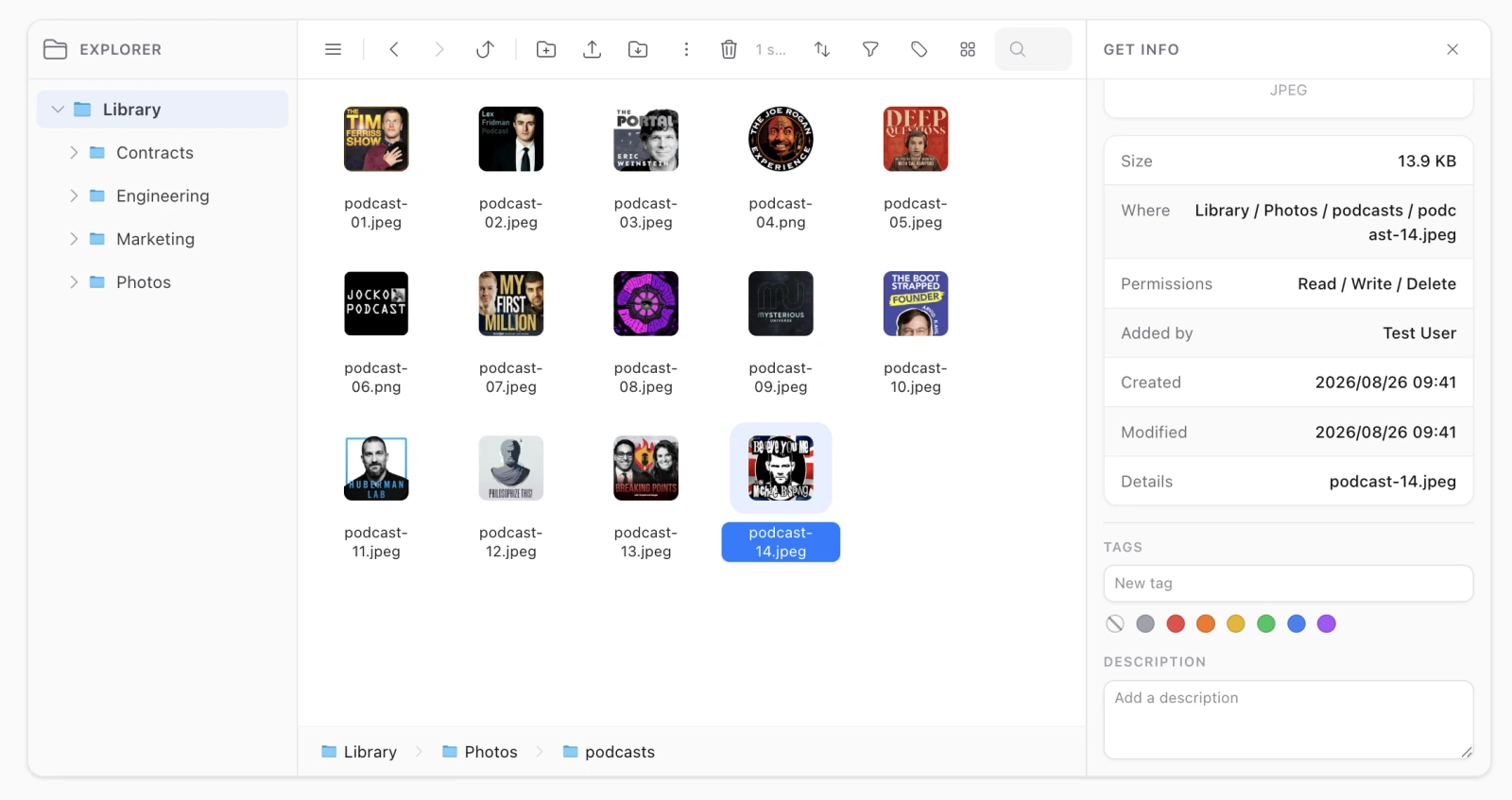
Folders and files can carry a description and any number of tags, both written in the Get Info inspector — the panel that already follows the selection, and so the only place on screen that knows which single item you mean.
// config/filament-file-explorer.php
'annotations' => [
    'enabled' => true,

    'descriptions_table' => 'file_explorer_descriptions',
    'tags_table' => 'file_explorer_tags',
    'tag_items_table' => 'file_explorer_tag_items',
],
Gated on the annotate ability, which follows rename for any authorizer that does not answer it: both change what an item is called rather than what it holds.
Tags belong to a scope
A tenant’s vocabulary is not another tenant’s. And a tag nothing carries any more is deleted, which is why there is no tag management screen: the list of tags is the list in use, and the filter menu can never offer a word that matches nothing.
A tag is a shared row rather than free text on each item, which is what lets the filter offer a closed list and a colour mean the same thing everywhere. Free-text strings per item give you three spellings of “Urgent” inside a week. Uniqueness is decided on the slug, so case is not a second tag.
Both are searchable
The search box matches names, descriptions and tag names in one query, across the whole scope — so a note you wrote is a note you can find again.
The filter
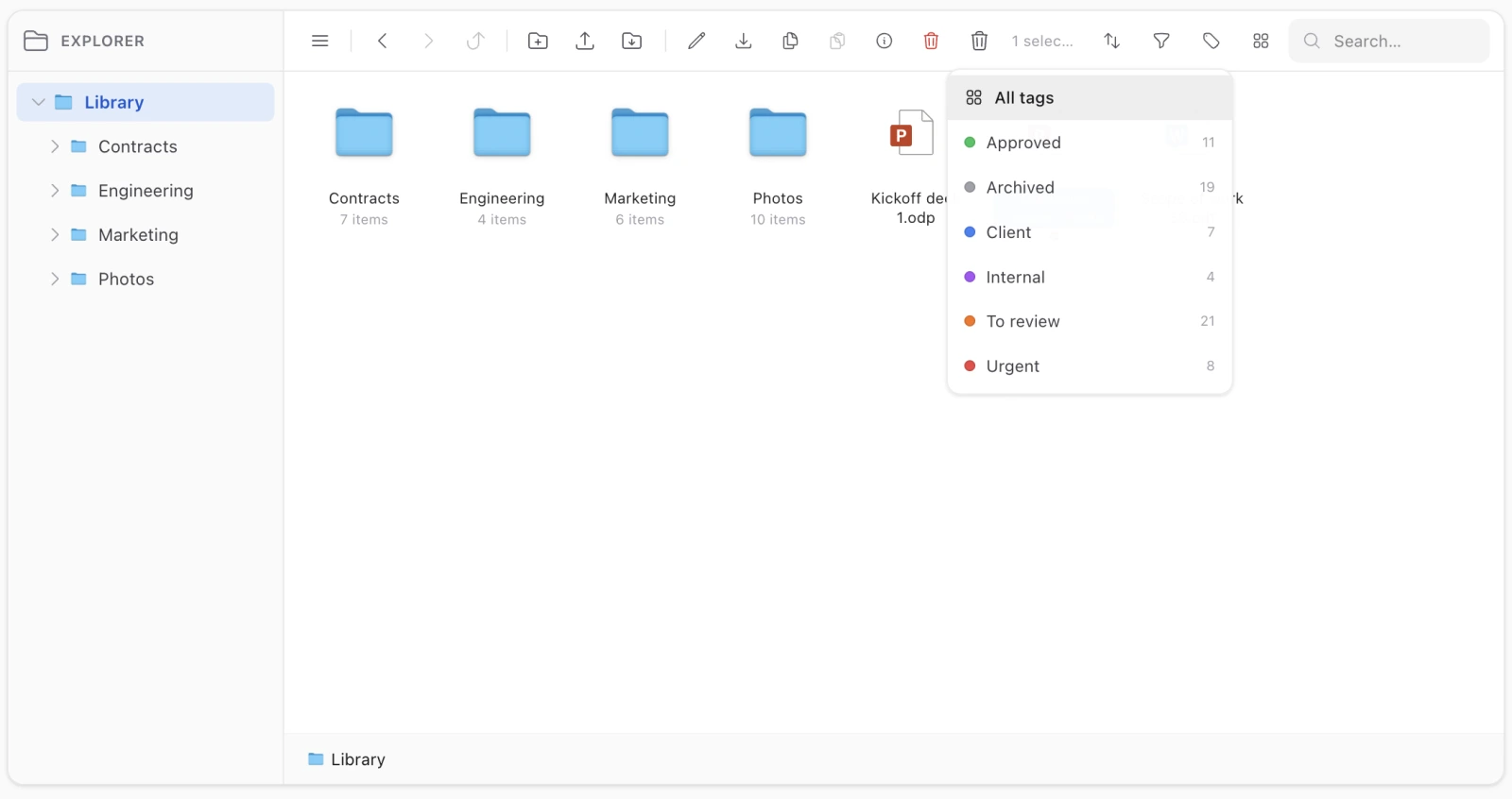
Beside the kind filter in the toolbar. Two things make it different from that one:
It narrows folders as well as files. A folder can be tagged, and hiding folders would hide exactly what you tagged.
It looks through the whole subtree of the folder you are in, not just its direct children. A tag belongs to the item rather than to the folder it happens to sit in — narrowing to one level made a tag findable only from the folder that already showed the item, which is the folder where a filter was least needed. The subtree of where you stand rather than the whole library, so moving into a folder while filtered still narrows what you see.
Two consequences you will notice: the folder you are browsing is excluded from its own results (it is in its own subtree), and the column view falls back to the flat list while a tag filter is on — panes are a path, and a subtree answer is not one.
Colours
Seven, a closed palette: grey, red, orange, yellow, green, blue, purple. Across the listing a tag shows as a coloured dot. Colours are stored as names, never hex, so an unrecognised value draws the neutral dot rather than reaching the page.
The colour is picked from the swatches under the tag input, and it belongs to the word rather than to the item: choosing one colours that tag everywhere it appears, since a colour that meant one thing here and another there would mean nothing.
Leaving the swatches alone is not the same as choosing grey. Grey is one of the seven; no choice at all gives a new word the neutral dot and leaves an existing word’s colour exactly as it was. The swatch for “no choice” is a slashed circle, or the two would be indistinguishable.
From your own code
use Koassi\FilamentFileExplorer\Support\Annotations;

$annotations = app(Annotations::class);

$annotations->setDescription(Annotations::FILE, $media->id, 'The signed lease');
$annotations->attach('library', Annotations::FILE, $media->id, 'Urgent', 'red');

$annotations->description(Annotations::FOLDER, $folder->id);
$annotations->tags(Annotations::FOLDER, $folder->id);
$annotations->tagsFor(Annotations::FILE, $mediaIds);   // two queries for a whole window
$annotations->available('library');                    // the scope's vocabulary, with counts
Annotations::FOLDER and Annotations::FILE are 'folder' and 'file' — not model classes, deliberately. The folder model is swappable and media rows belong to Media Library’s own model, so a class name stored here would either break on a swap or need the same care the morph class needs. Those two words are already the package’s vocabulary, from the DOM attributes down to the clipboard.
Limits: a description is capped at 2000 characters, a tag name at 40.
Cleanup is automatic
Deleting an item drops its annotations, through a model listener rather than a call at each delete site. Two details in it:
- It fires on force-delete, not on soft-delete. A trashed folder has to come back annotated.
- It checks the row is ours first. An annotation is keyed by kind and id, so a media row of another model with a colliding id would otherwise take one of our files’ descriptions with it.
Why not custom_properties
Media Library hands you a JSON column for free, and it was the obvious place. Three reasons it is not used:
- The search runs in SQL, and querying inside a JSON column is written differently on sqlite, MySQL and Postgres. Everything else in the listing is filtered and sorted in the database precisely so a folder of thousands of files stays usable; an annotation the search could not reach would be a note nobody finds again.
- Folders have no
custom_propertiesat all, so that route meant two mechanisms for one feature. - A tag has to be a shared row to be a closed vocabulary with a colour. Per-item JSON strings cannot be.
Turn enabled off and nothing reads or writes the three tables. The migration still runs, so turning it back on is a config change.